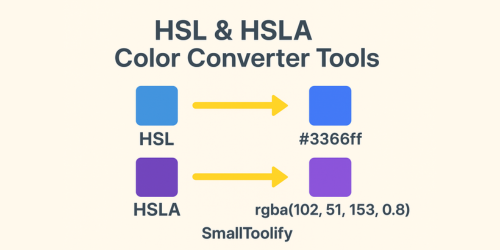
Convert HSL and HSLA colors easily with SmallToolify. Free online tools to convert HSL/HSLA to HEX, HEX Alpha, RGB, RGBA, HSV, and HSL instantly. Perfect for designers and developers.
If you’ve ever tried working with colors in web design, app development, or even just for fun in a school project, you’ve probably noticed that there’s no single “universal” way of writing colors. You’ll see formats like HEX, RGB, HSL, HSLA, and HSV popping up everywhere. At first glance, it feels overwhelming.
But here’s the good news: you don’t need to memorize formulas or spend hours doing manual conversions. On SmallToolify.com, we’ve built a collection of free HSL & HSLA color converter tools that let you switch between color formats instantly. Whether you’re a beginner or a pro designer, these tools will save you time and frustration.
Let’s explore them one by one 👇
🎨 HSL to HEX Converter – From Hue, Saturation, Lightness to Web-Friendly Codes
HSL stands for Hue, Saturation, Lightness. It’s a very human-friendly way of describing colors because it’s based on how we actually perceive them.
- Hue = the actual color (red, blue, green, etc.).
- Saturation = how vivid or dull the color is.
- Lightness = how light or dark it appears.
But most websites, apps, and design systems prefer using HEX codes (like #ff0000 for red).
👉 Example:
- HSL: hsl(0, 100%, 50%)
- HEX: #ff0000
Our HSL to HEX converter instantly translates your HSL values into a HEX code, ready to copy and paste into your CSS or design project.
🎨 HSL to HEX Alpha – When You Need Transparency
Sometimes you want a color that isn’t fully solid. For example, a semi-transparent background overlay or a button hover effect. That’s where HSL to HEX Alpha comes in.
👉 Example:
- HSL with 50% transparency: hsla(200, 100%, 50%, 0.5)
- HEX Alpha: #00aaff80
This converter makes it super easy to keep your HSL color but also add that alpha (transparency) factor.
🎨 HSL to RGB & HSL to RGBA – Bridging Two Popular Models
RGB stands for Red, Green, Blue. It’s the most widely used format in digital screens, graphics, and programming. While HSL is easier for humans to think about, RGB is what computers really like.
- HSL to RGB → Converts your HSL color into RGB values like rgb(255, 0, 0).
- HSL to RGBA → Same thing, but with an alpha value for transparency, like rgba(255, 0, 0, 0.5).
👉 Example:
- HSL: hsl(120, 100%, 50%) (a bright green)
- RGB: rgb(0, 255, 0)
- RGBA with 40% transparency: rgba(0, 255, 0, 0.4)
If you’re coding in HTML, CSS, or building an app, these converters are must-haves.
🎨 HSL to HSV & HSL to HSLA – More Flexibility for Designers
HSV (Hue, Saturation, Value) is another way of defining colors. It’s similar to HSL but uses Value (brightness) instead of Lightness. Designers often prefer HSV for fine-tuning how colors look in different lighting.
👉 Example:
- HSL: hsl(240, 100%, 50%) (pure blue)
- HSV: hsv(240, 100%, 100%)
Meanwhile, HSL to HSLA is useful if you want to stick with HSL but add an alpha channel for transparency.
🎨 HSLA to HEX & HEX Alpha – Converting Back to Web Colors
Already have an HSLA value but need HEX for your stylesheet? These converters are here to help.
👉 Example:
- HSLA: hsla(0, 100%, 50%, 0.7) (semi-transparent red)
- HEX Alpha: #ff0000b3
With one click, you get a HEX or HEX Alpha version of your color, ready for websites, apps, or graphics software.
🎨 HSLA to RGB & RGBA – For Developers Who Code in RGB
A lot of programming frameworks and mobile apps prefer working with RGB/RGBA instead of HSLA. That’s why our HSLA to RGB & RGBA converters are so handy.
👉 Example:
- HSLA: hsla(300, 100%, 50%, 0.5) (a semi-transparent magenta)
- RGBA: rgba(255, 0, 255, 0.5)
No math required, just instant results.
🎨 HSLA to HSV & HSL – Switching Between Models
If you’re experimenting with colors and switching between models, our converters let you go from HSLA → HSV or HSLA → HSL in seconds. This is especially useful for designers who like testing colors across different visual models.
Real-World Use Cases
So, who actually needs these tools? Here are some everyday scenarios where they shine:
- Web designers – Writing CSS with exact HEX or RGBA values.
- Graphic designers – Matching brand colors across Photoshop, Illustrator, and web projects.
- App developers – Using the right color formats for Android, iOS, or Flutter.
- Students & beginners – Learning about color theory in a simple, practical way.
- Marketers – Ensuring logos and brand assets have consistent color codes.
❓ FAQs – HSL, HSLA & Conversions
Q1. What’s the difference between HSL and HSV? HSL uses Lightness (how light/dark a color is), while HSV uses Value (brightness). Both are just different models of describing colors.
Q2. What does the “A” in HSLA or RGBA mean? The “A” stands for Alpha, which controls transparency. 1 = fully solid, 0 = completely transparent.
Q3. Which format is best for web design? Most designers use HEX codes for static colors. If transparency is needed, RGBA or HSLA is better.
Q4. Can I convert between any of these formats easily? Yes! That’s exactly what the converters on SmallToolify.com are built for—instant, accurate conversions between HSL, HSLA, HEX, RGB, and HSV.
Final Thoughts
At first, all these color codes can feel like a maze. But once you get the hang of it—and especially when you have instant converters—it becomes second nature. Whether you’re optimizing CSS, designing graphics, or just experimenting with digital colors, the HSL & HSLA color converter tools on SmallToolify make the job quick and stress-free.
So, instead of pulling out a calculator or Googling formulas every time, just head over to SmallToolify.com, pick the converter you need, and get the exact code instantly.