Quickly convert HSV colors to HEX, HEX Alpha, RGB, RGBA, HSL, and HSLA with SmallToolify’s free, easy-to-use online converters. Perfect for designers and developers!
Hey there! If you’ve ever dabbled in web design, graphic design, or even just customizing colors for your projects, you know how tricky it can be to get the color just right. You pick a color, and suddenly it looks completely different on your website, app, or graphic tool. That’s where understanding HSV and converting it to formats like HEX, RGB, or HSL comes in handy. Don’t worry, it’s easier than it sounds—and with SmallToolify.com, it’s downright simple.
What Is HSV, Anyway?
Let’s break it down. HSV stands for Hue, Saturation, and Value. Think of it as the color wheel you used in school, but with a modern twist:
- Hue is basically the color type. Red, blue, green—you name it.
- Saturation tells you how vivid or muted the color is.
- Value decides how light or dark it looks.
Basically, HSV is a super intuitive way to describe color the way humans actually see it, unlike RGB or HEX, which can feel a bit abstract at first.
Why Convert HSV to Other Formats?
Here’s the deal: different tools and platforms love different color formats. For instance:
- HEX is perfect for websites and CSS.
- RGB is the classic digital display favorite.
- HSL and HSLA let you tweak lightness and transparency super easily.
- RGBA and HEX Alpha give you opacity control for slick, modern designs.
So, if you’re designing something, knowing how to convert HSV is a lifesaver.
HSV to HEX: Your Go-To for Web Design
HEX codes are those six-character codes you see in CSS. If you’re building a website, you’ll see them all over the place. With SmallToolify’s HSV to HEX converter, you can quickly:
- Turn your chosen HSV color into HEX without breaking a sweat.
- Copy the HEX code instantly to paste into your project.
- Make sure your colors look exactly as you imagined.
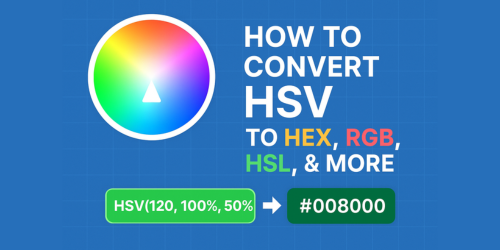
For example, HSV(120, 100%, 50%) converts neatly to HEX #008000. Pretty neat, right?
HSV to HEX Alpha: Add Transparency with Ease
Sometimes, a color needs a little transparency magic. That’s what HEX Alpha is for. SmallToolify lets you:
- Convert HSV to HEX with an alpha channel.
- Adjust opacity so your overlays, buttons, or backgrounds look perfect.
Like, if you want a 50% transparent green, HSV(120, 100%, 50%) becomes HEX #00800080. You just can’t get that level of control manually without headaches.
HSV to RGB: A Designer’s Classic
RGB is everywhere in the digital world. Your monitor, Photoshop, Figma—all love RGB. SmallToolify’s HSV to RGB converter makes it super simple to:
- Translate HSV values to RGB without manual math.
- Get color codes ready for digital projects in seconds.
Example? HSV(240, 100%, 50%) turns into RGB(0, 0, 128). Boom—color sorted.
HSV to RGBA: Transparency Made Simple
RGBA is basically RGB with a little twist: transparency. SmallToolify’s HSV to RGBA converter lets you:
- Convert HSV colors and add your desired transparency.
- Make overlays, buttons, and backgrounds pop just right.
Say you want a 50% transparent navy color, HSV(240, 100%, 50%) becomes RGBA(0, 0, 128, 0.5). Easy peasy.
HSV to HSL: Lightness Control at Your Fingertips
HSL stands for Hue, Saturation, Lightness. Designers love it because it’s easy to tweak lightness without changing the hue. SmallToolify’s HSV to HSL converter lets you:
- Convert your HSV values in a flash.
- Adjust colors for gradients, shadows, and themes easily.
Like turning HSV(0, 100%, 50%) into HSL(0, 100%, 25%). You now have control over how light or dark your color appears.
HSV to HSLA: HSL With Transparency
HSLA is basically HSL with an alpha channel. SmallToolify makes it effortless to:
- Convert HSV to HSLA for web or design projects.
- Adjust opacity without changing your hue or saturation.
For example, HSV(0, 100%, 50%) with 70% transparency becomes HSLA(0, 100%, 25%, 0.7). Perfect for layered designs or subtle backgrounds.
Why SmallToolify’s HSV Converters Are Awesome
Let’s be real—manually converting colors can be a nightmare. SmallToolify’s tools save you from:
- Tedious math and guesswork.
- Mistakes that make your colors look off.
- Wasting time switching between software.
Instead, you get:
- Fast, accurate results every time.
- User-friendly interface—anyone can use it.
- Multiple formats—HEX, HEX Alpha, RGB, RGBA, HSL, HSLA.
- One-click copy—paste directly into your projects.
- 100% free access—no paywalls, no subscriptions.
Basically, it’s like having a color assistant that never sleeps.
Pro Tips for Using HSV Converters
- Experiment with saturation and value: Small tweaks can make your color pop or calm it down.
- Use HEX Alpha and RGBA for overlays: Transparent colors look amazing in modern web design.
- Double-check your HSL values: When working with lightness-heavy designs, HSL can save your project.
- Save your favorite colors: SmallToolify lets you quickly copy and reuse your codes.
Final Thoughts
Color is more than just aesthetics—it’s about how people perceive and interact with your design. With SmallToolify’s HSV conversion tools, you can:
- Work faster.
- Avoid guesswork.
- Make colors look exactly how you envision.
So, whether you’re designing a website, creating graphics, or just having fun with colors, SmallToolify has your back. Head over to SmallToolify.com and start converting your HSV colors today. It’s free, fast, and incredibly easy.